How it works / From information to action

A building should be
understandable.

Find the place. Understand the asset. Ask the question. Give the next person what they need to act. twinSpace makes those moments part of one continuous building story.

Looking upward through the spaces and systems of a modern building
A practical path

One question can cross an entire building.

Imagine a team responding to a comfort complaint on the sixth floor. They need to know which equipment serves the area, whether a related issue is already open and what changed recently. The useful answer brings those pieces together, then gives the team a clear way to continue.

The journey below shows how the current product connects building context, questions, records and work. Live device readings and automated recommendations depend on the information connected for each site.

01 / 05

Start with the place

Bring the building model into a digital twin of floors, rooms and the systems that serve them. Instead of beginning with an unfamiliar asset code, begin with the part of the building your team knows.

Explore the building spatially, then move from a room or system to the individual elements behind it.

Example building model showing spatial context
02 / 05

Know the asset

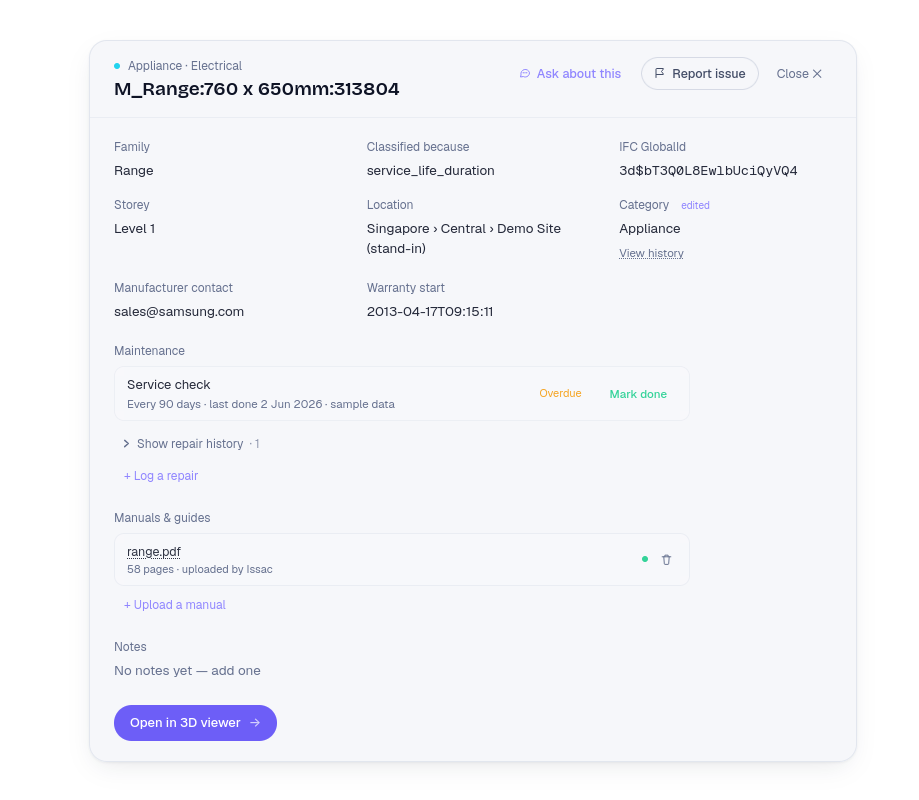
Open an equipment record to see what it is, where it sits and what is known about it. Keep specifications, documents and service information close to the object they describe.

A consistent asset view gives operations and engineering teams a common reference during a handover or investigation.

Actual twinSpace element detail view
03 / 05

Ask with context

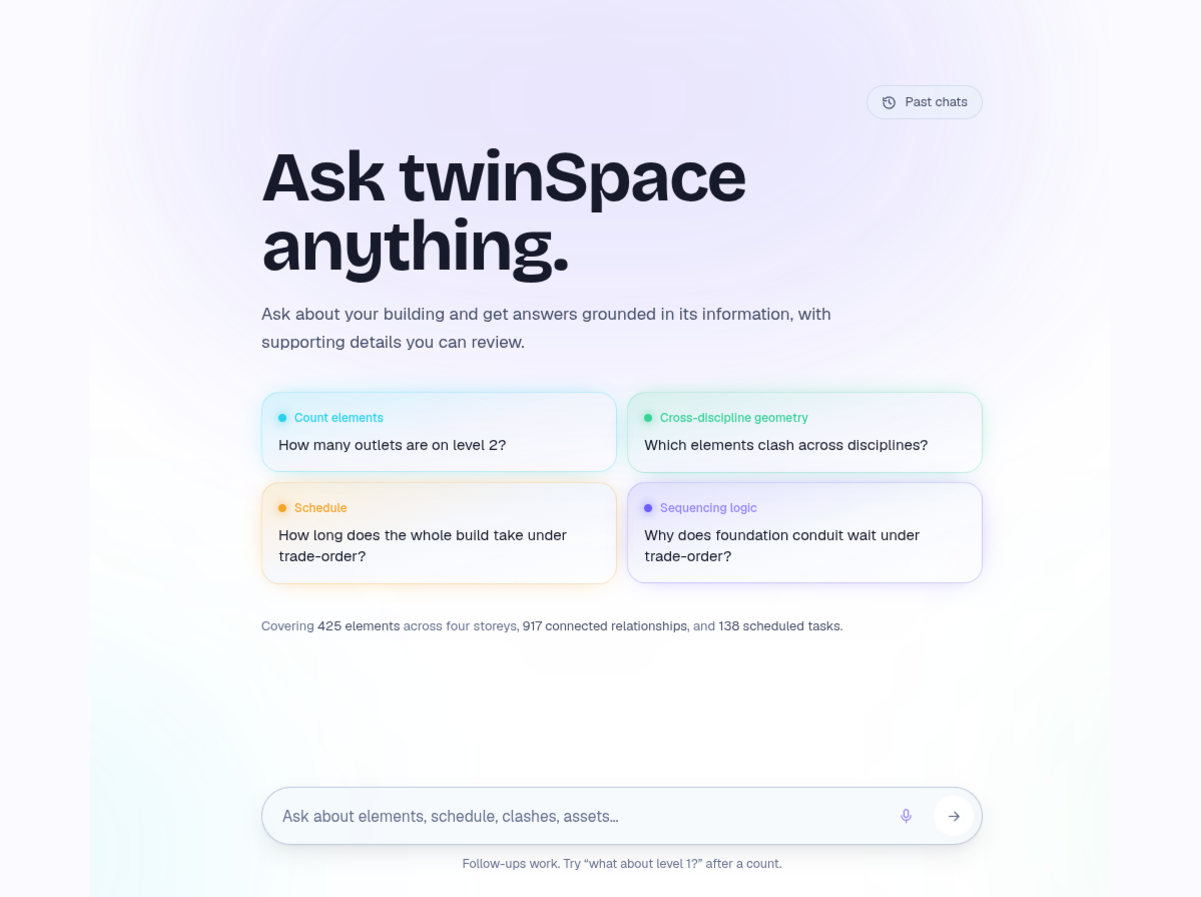
Ask a question in ordinary language when browsing is too slow. AskTwin uses the building information available in the example environment to answer and helps you follow the relevant evidence.

Questions can begin broadly, then narrow to a floor, asset family or specific piece of equipment.

Actual AskTwin question interface
04 / 05

Make the record useful

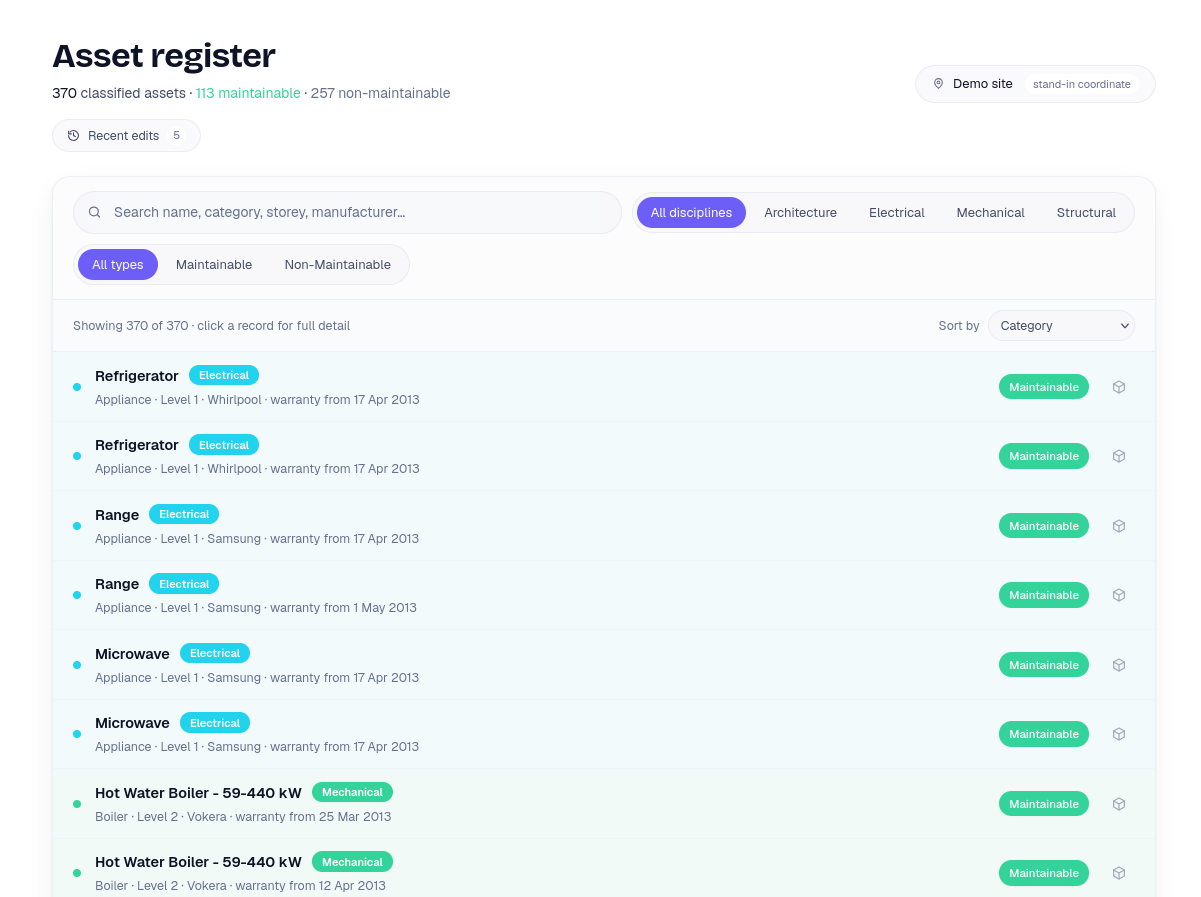
A register turns scattered equipment information into something teams can inspect and maintain. Review classifications, find missing detail and keep a history of changes as the building evolves.

The person arriving after a design review or repair should be able to understand what changed and why.

Actual twinSpace asset register
05 / 05

Carry the work through

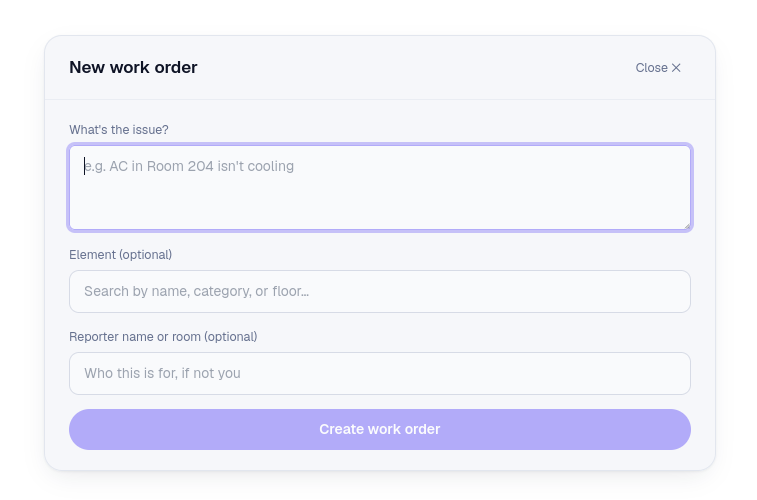
When an answer points to action, create and follow work against the asset. Give the team the location and background they need, track progress and leave a useful trail for the next person.

The question, building context and operational task belong to the same story.

Actual twinSpace work order creation view
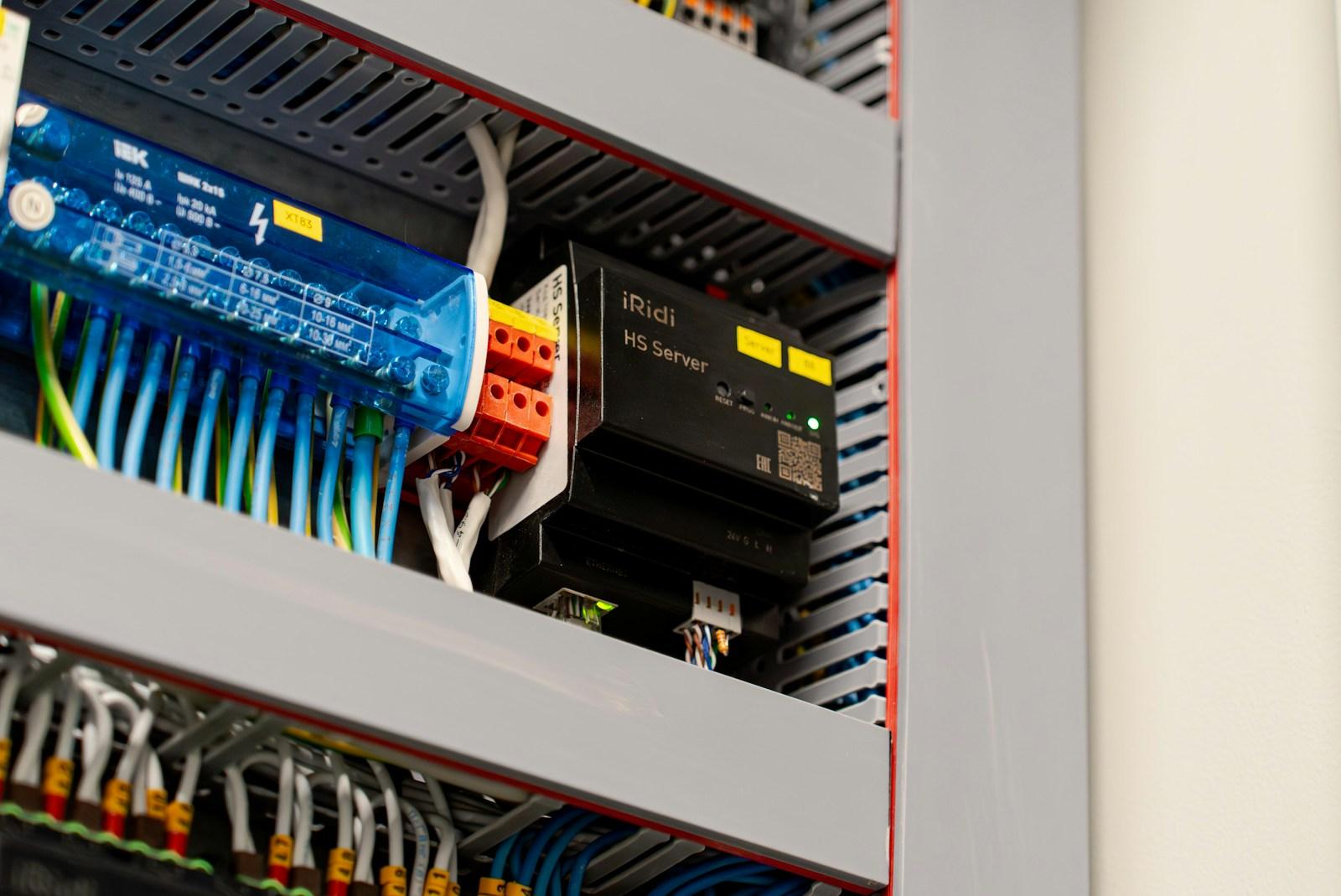
Connected building control equipment in a real installation
From building to team

The physical detail is never far away.

Facilities work happens at real equipment, in real spaces, with people who need an answer while they are standing on site. A connected view keeps the model, the record and the next action close to that physical reality.

As more building signals are connected, that same context can support earlier detection, clearer priorities and more confident decisions.

Explore the AIoT view ↗

See it with a real building.

Request a demo ↗